RustyLens
Lightweight OCR for the Linux desktop. · v0.2.1
Open an image or capture a screenshot, and RustyLens extracts the text using Tesseract — with bounding-box overlays and drag-to-select word copying.
Built with Rust, GTK4, and libadwaita.




Screenshots
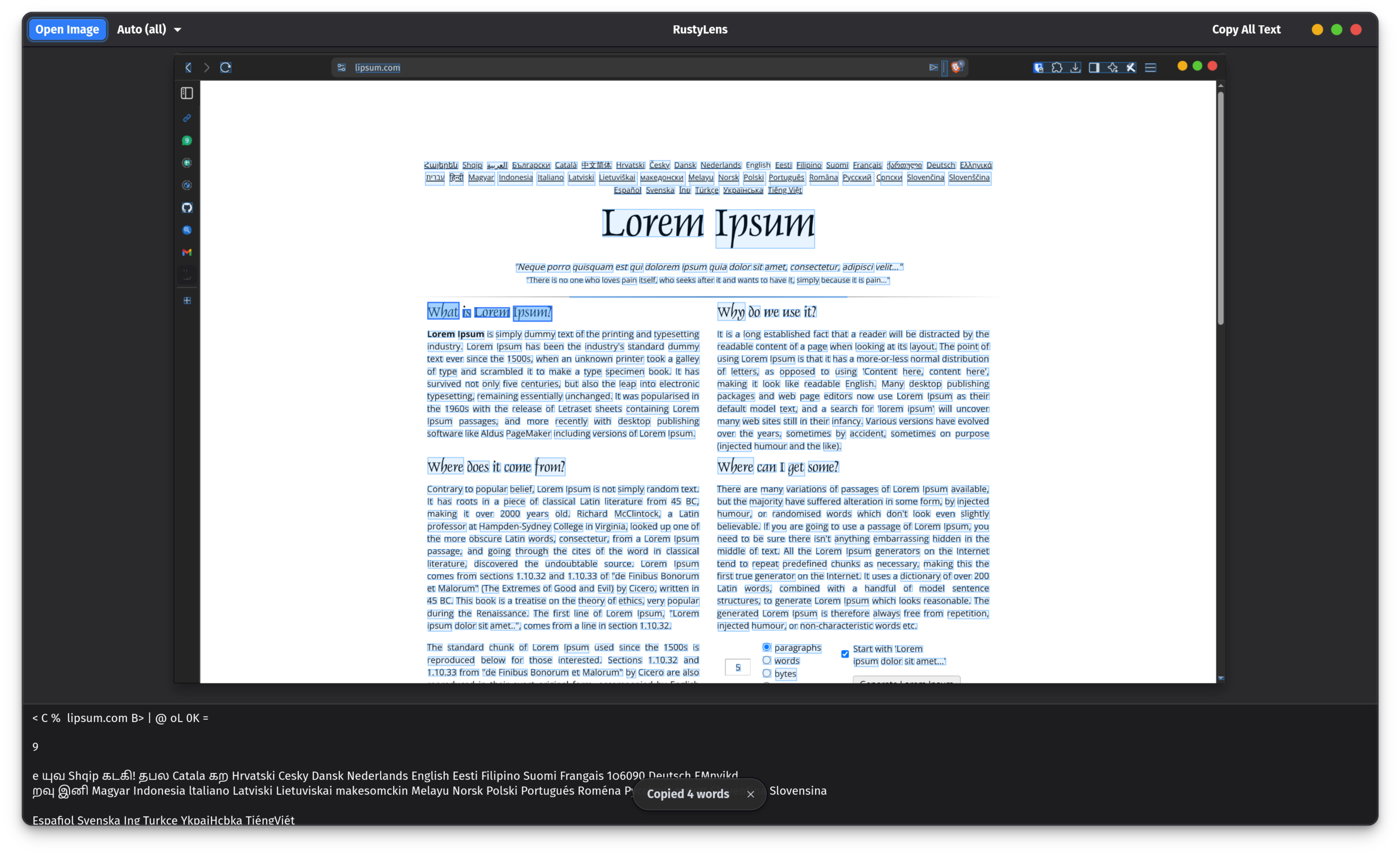
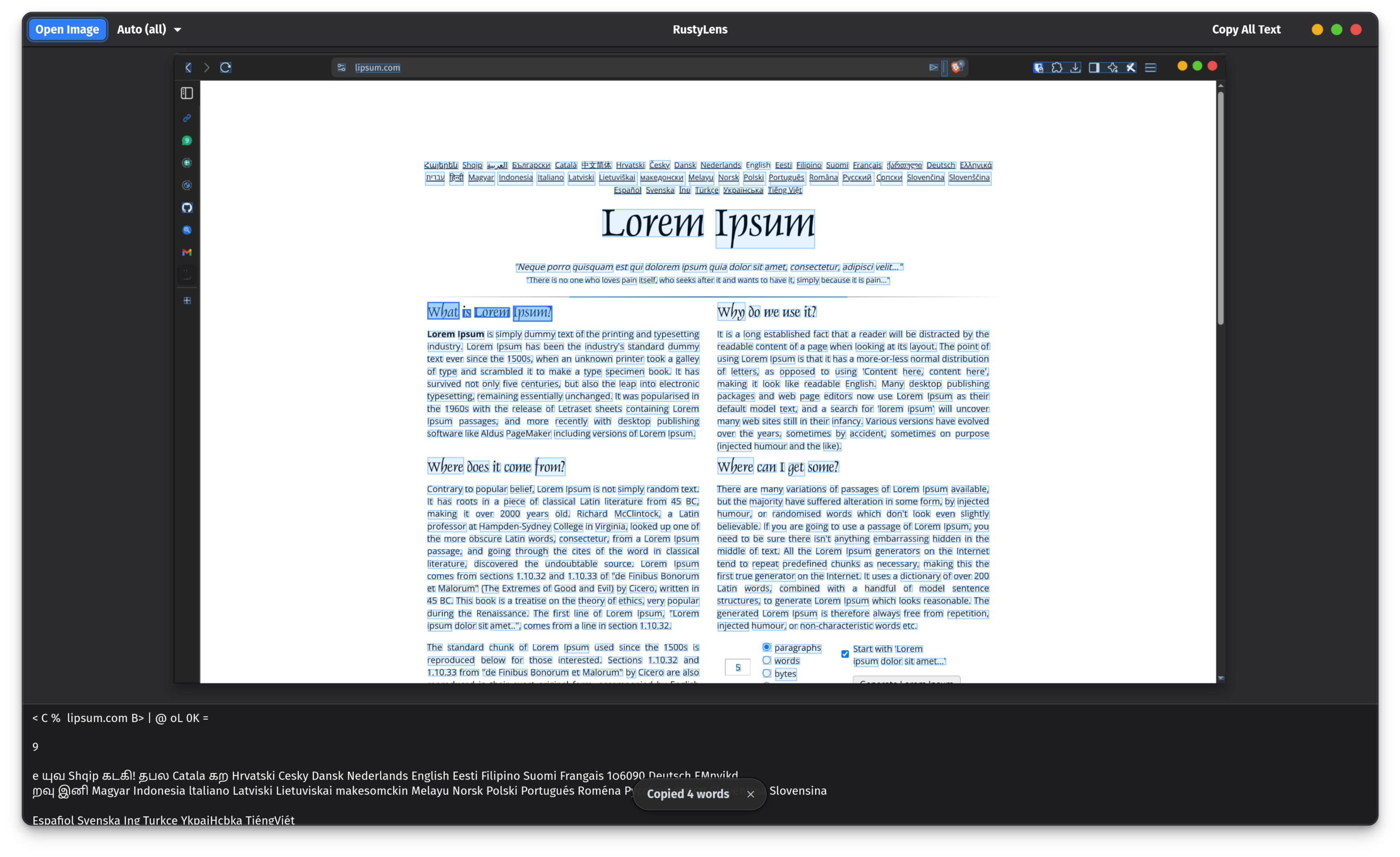
Demo
Features
- OCR text extraction — supports 100+ languages via Tesseract; auto-detects all installed language packs
- Human-readable language selector — dropdown shows full language names ("English", "Japanese", "Chinese (Simplified)") instead of raw codes
- Drag-to-select — click or drag across highlighted words to select them, then ++ctrl+c++ to copy
- Bounding-box overlay — recognised words are highlighted directly on the image preview
- Screenshot mode —
rustylens --capturegrabs a screenshot via the XDG portal and runs OCR immediately - Copy all text — one-click button to copy everything extracted
- Distro-native binaries —
install.shauto-detects Arch, Ubuntu/Debian, or Fedora and downloads the matching binary, eliminating library ABI mismatches - Flatpak-ready — fully sandboxed with portal-based screenshot integration
Install in one line
Or download and inspect first:
→ See Getting Started for a step-by-step guide, or Installation for all options.